
布局链接
所有布局的导航配置。
概览
🌐 Overview
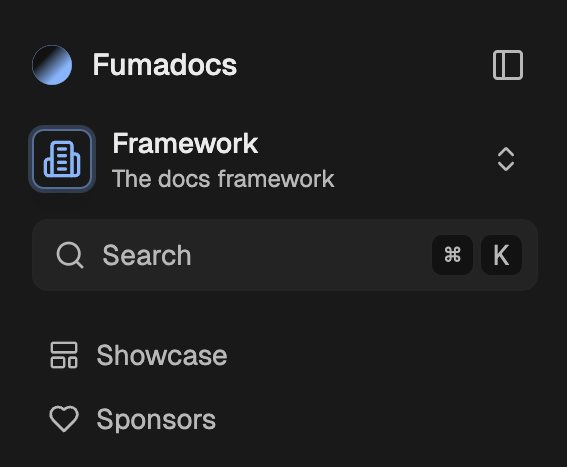
Fumadocs 允许使用 links 属性向你的布局添加导航链接,例如链接到你的“展示”页面。
🌐 Fumadocs allows adding navigation links to your layouts with a links prop, like linking to your "showcase" page.

import type { BaseLayoutProps } from 'fumadocs-ui/layouts/shared';

export function baseOptions(): BaseLayoutProps {
  return {
    links: [],
  };
}
你可以在下面看到所有支持的项目:
🌐 You can see all supported items below:
链接项目
🌐 Link Item
一个用于导航到 URL/href 的链接,可以是外部链接。
🌐 A link to navigate to a URL/href, can be external.
import { BookIcon } from 'lucide-react';
import type { BaseLayoutProps } from 'fumadocs-ui/layouts/shared';

export function baseOptions(): BaseLayoutProps {
  return {
    links: [
      {
        icon: <BookIcon />,
        text: 'Blog',
        url: '/blog',
        // secondary items will be displayed differently on navbar
        secondary: false,
      },
    ],
  };
}
主动模式
🌐 Active Mode
被标记为活跃的条件。
🌐 The conditions to be marked as active.
| 模式 | 描述 |
|---|---|
url | 浏览指定的 URL 时 |
nested-url | 浏览该 URL 及其子页面(如 /blog/post)时 |
none | 永不启用 |
import type { BaseLayoutProps } from 'fumadocs-ui/layouts/shared';

export function baseOptions(): BaseLayoutProps {
  return {
    links: [
      {
        text: 'Blog',
        url: '/blog',
        active: 'nested-url',
      },
    ],
  };
}
图标项
🌐 Icon Item
与链接项相同,但显示为图标按钮。图标项默认是次要的。
🌐 Same as link item, but is shown as an icon button. Icon items are secondary by default.
import { BookIcon } from 'lucide-react';
import type { BaseLayoutProps } from 'fumadocs-ui/layouts/shared';

export function baseOptions(): BaseLayoutProps {
  return {
    links: [
      {
        type: 'icon',
        label: 'Visit Blog', // `aria-label`
        icon: <BookIcon />,
        text: 'Blog',
        url: '/blog',
      },
    ],
  };
}
自定义项目
🌐 Custom Item
显示自定义组件。
🌐 Display a custom component.
import type { BaseLayoutProps } from 'fumadocs-ui/layouts/shared';

export function baseOptions(): BaseLayoutProps {
  return {
    links: [
      {
        type: 'custom',
        children: <Button variant="primary">Login</Button>,
        secondary: true,
      },
    ],
  };
}
GitHub 网址
🌐 GitHub URL
还有一个用于添加 GitHub 仓库链接项的快捷方式。
🌐 There's also a shortcut for adding GitHub repository link item.
import type { BaseLayoutProps } from 'fumadocs-ui/layouts/shared';
export function (): BaseLayoutProps {
return {
: 'https://github.com',
};
}普通菜单
🌐 Normal Menu
包含多个链接项的菜单。
🌐 A menu containing multiple link items.
import type { BaseLayoutProps } from 'fumadocs-ui/layouts/shared';

export function baseOptions(): BaseLayoutProps {
  return {
    links: [
      {
        type: 'menu',
        text: 'Guide',
        items: [
          {
            text: 'Getting Started',
            description: 'Learn to use Fumadocs',
            url: '/docs',
          },
        ],
      },
    ],
  };
}
导航菜单
🌐 Navigation Menu
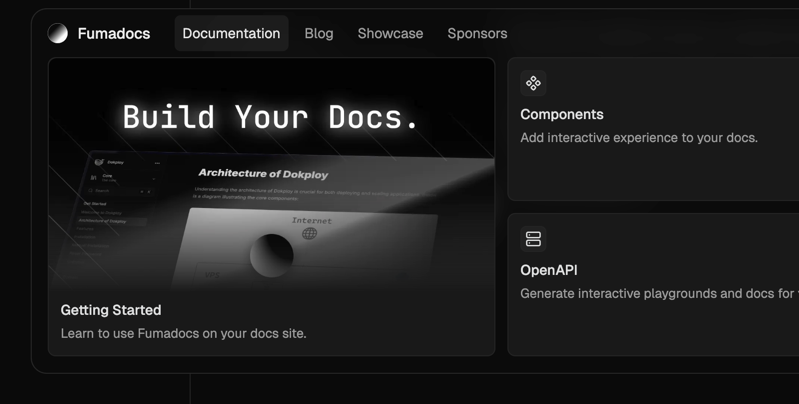
在首页布局中,你可以在导航栏添加导航菜单(完全动画化)。
🌐 In Home Layout, you can add navigation menu (fully animated) to the navbar.
import { baseOptions } from '@/lib/layout.shared';
import type { ReactNode } from 'react';
import { HomeLayout } from 'fumadocs-ui/layouts/home';
import {
  NavbarMenu,
  NavbarMenuContent,
  NavbarMenuLink,
  NavbarMenuTrigger,
} from 'fumadocs-ui/layouts/home/navbar';

export default function Layout({ children }: { children: ReactNode }) {
  return (
    <HomeLayout
      {...baseOptions()}
      links={[
        {
          type: 'custom',
          // only displayed on navbar, not mobile menu
          on: 'nav',
          children: (
            <NavbarMenu>
              <NavbarMenuTrigger>Documentation</NavbarMenuTrigger>
              <NavbarMenuContent>
                <NavbarMenuLink href="/docs">Hello World</NavbarMenuLink>
              </NavbarMenuContent>
            </NavbarMenu>
          ),
        },
        // other items
      ]}
    >
      {children}
    </HomeLayout>
  );
}
Last updated on